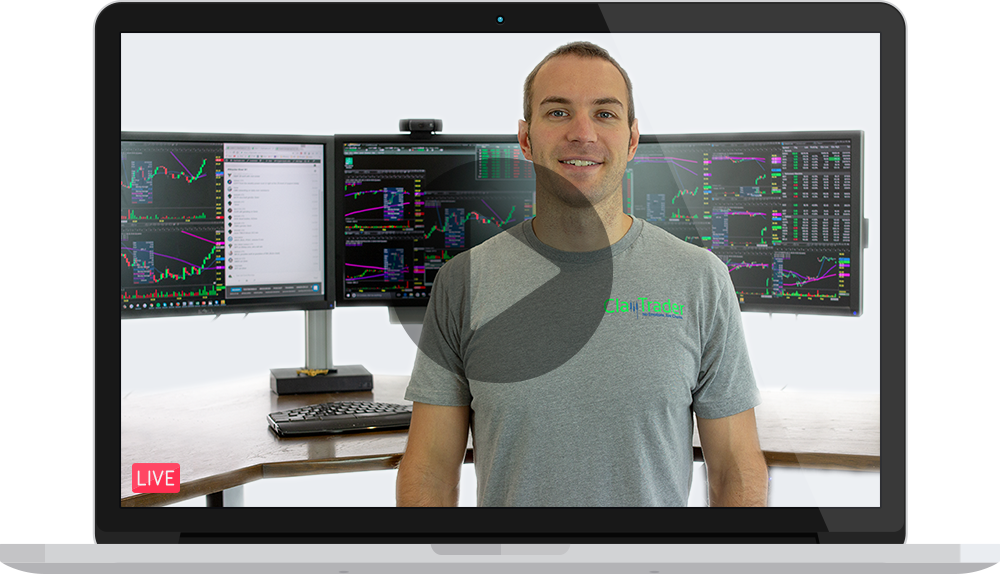

Hey Clay! What’s the best day trading computer for me?
That question pops up all the time—forums, emails, comments, chatrooms, social media, etc. Everyone wants to know: what kind of computer do I really need for day trading?
Look, I used to be the guy who thought, “Eh, just buy a decent brand name machine and you’re good.” I didn’t think you needed some special company to build your rig.
To be quite frank, I thought paying a company to build me a trader computer was a rip-off! I went as far as writing this article discussing my thoughts (here’s a spoiler though, I have since added in an *update* at the very top of the article eating humble pie and admitting I was wrong, well… at least with one of the companies I mentioned in original article)…
What made me change my mind? Well…
Recently, Eddie Z from EZ Trading Computers reached out to me to see if he could change my mind. I talked about his company in the article and he very respectfully disagreed with me, but much more importantly and impressively, put his money where his mouth was and said, “let me prove it to you”…
I’ll admit it—I was wrong. Very wrong.
After going through it myself, I realized there’s massive value in having professionals who actually understand trading build your machine. This isn’t gaming. This isn’t basic office work. It’s real-time market data, complex charting software, order execution, and dozens of things happening at once.
And here’s the thing—I’m not a tech wizard. When something breaks or acts funky, I want to talk to someone who knows trading. Not some overseas call center reading from a script. The support I’ve gotten from the EZ team has been top-notch. It’s the kind of peace of mind you want when you’re staring at five charts and trying to decide if you’re getting faked out or not. Before you even think about buying anything, check out this FREE guide they put together. It’s loaded with helpful info—and yeah, it won’t cost you a cent.
Let me show you the custom-built machine I’m using right now, built by EZ Trading Computers:
Chart Breaker EZ Trading Computer
· Processor: Intel Core Ultra 9 285K — the fastest consumer processor out there right now.
· Cooling: 360MM all-in-one liquid cooling system. Totally sealed. No maintenance. Keeps it ice cold even when you’re hammering it during high-volume trading.
· RAM: 64GB DDR5 — fast and plenty of it.
· Storage: 1TB NVME SSD — blazing fast load times.
· Graphics Card: Nvidia RTX 4060 — AI-ready with 8GB of video RAM and support for four 4K monitors.
· Power Supply: Thermaltake — stable, efficient.
· Case: Phanteks XT Pro Silent — I can barely hear the thing running.
· Support: Lifetime tech support from EZ’s in-house team. These guys only deal with traders.
· Warranty: Full 5-year warranty on everything inside the case. They’ve got your back. Again, don’t take my word for it. Grab their updated guide: “The Complete Guide to Trading Computers.” It’s jam-packed with fresh info, tips, and real-world insight on how to optimize your setup.
—
Q&A with Eddie Z — Straight Talk About Trading Computers
Q: What even is a “trading computer”? A: It’s not just a “fast computer.” It’s a finely tuned machine built for one thing: giving you the best, real-time window into the markets. Speed, reliability, support, and multi-monitor capabilities—that’s the checklist. For more information, get the guide.
Q: Why not just use a regular computer? A: One word: slippage. Slippage is when you place a trade and filled at price you didn’t expect. When your computer lags, the market doesn’t wait. Those few seconds of delay could cost you big. Cheap or outdated computers just can’t process all the market data in real-time. You won’t even know what hit you until it’s too late.
Q: What are the most important components in a trading computer? A: CPU, motherboard, RAM, hard drive, graphics card, and monitor setup. If even one of those is weak, it could drag your whole system down. The guide breaks it all down.
Q: How do I know if my computer’s strong enough to trade? A: Think of your CPU like a car engine. If it’s underpowered, you’re getting smoked on the highway. Use the CPU benchmark score to measure it—aim for 25,000 minimum. If you want future-proof? Shoot for 40,000+. The guide shows you how to check it.
Q: How much RAM do I need? A: Bare minimum is 16GB. If you’re running multiple platforms or lots of charts? Go 32GB or more. I’m running 64GB and loving it.
Q: Why are multiple monitors important? A: Simple: more screens = less clicking around. You can keep eyes on multiple charts, news feeds, and trade entries all at once. It’s not about being flashy, it’s about being efficient.
Q: What type of hard drive should I get? A: Skip the spinning drives. You want an NVME M.2 SSD. Super fast. No moving parts. Boots up in seconds and doesn’t bottleneck your software. More details are here.
Q: How important is tech support and warranty? A: Critical. When your system goes down, seconds matter. You need a team who knows trading and can get you back online fast. EZ Trading Computers offers lifetime support and a 5-year warranty. They ONLY deal with traders. That’s rare.
Q: Where do I get a computer like this? A: Eddie Z and his team at EZ Trading Computers. Custom builds, optimized setups, and support that actually understands your business.
Bottom line: If you’re serious about trading, your computer setup isn’t where you cut corners. Get the free guide. Read it. And when you’re ready, go with someone who lives and breathes trading tech. Get “The Complete Guide to Trading Computers” by clicking HERE.